NexDock 2025 Support Pages Coming Soon…
Important Information for Samsung DeX Users
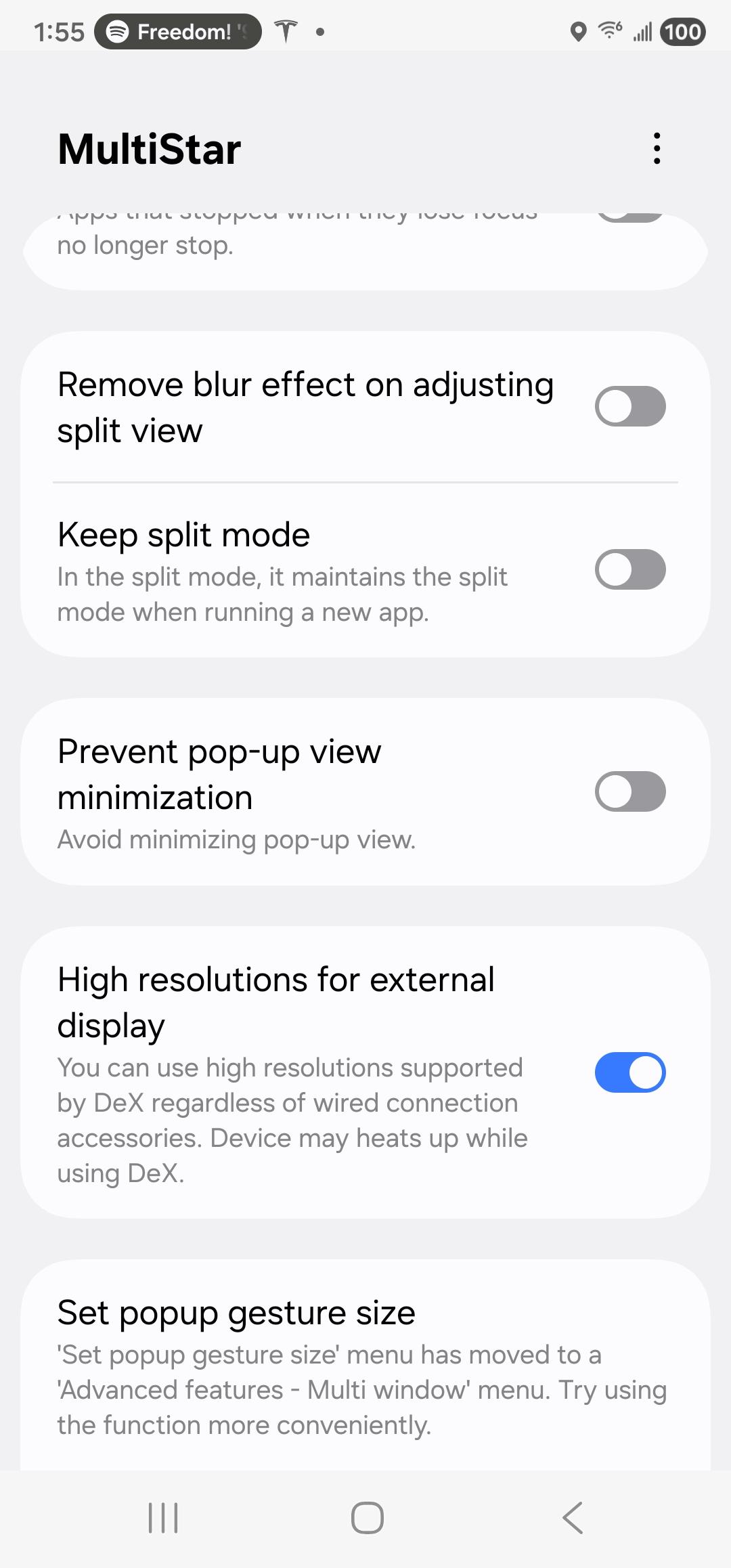
The new NexDock supports a 1920 × 1200 resolution. To enable Samsung DeX to recognize higher‑resolution external displays, you’ll need to install Samsung’s Good Lock app.
Follow the steps below to set it up.

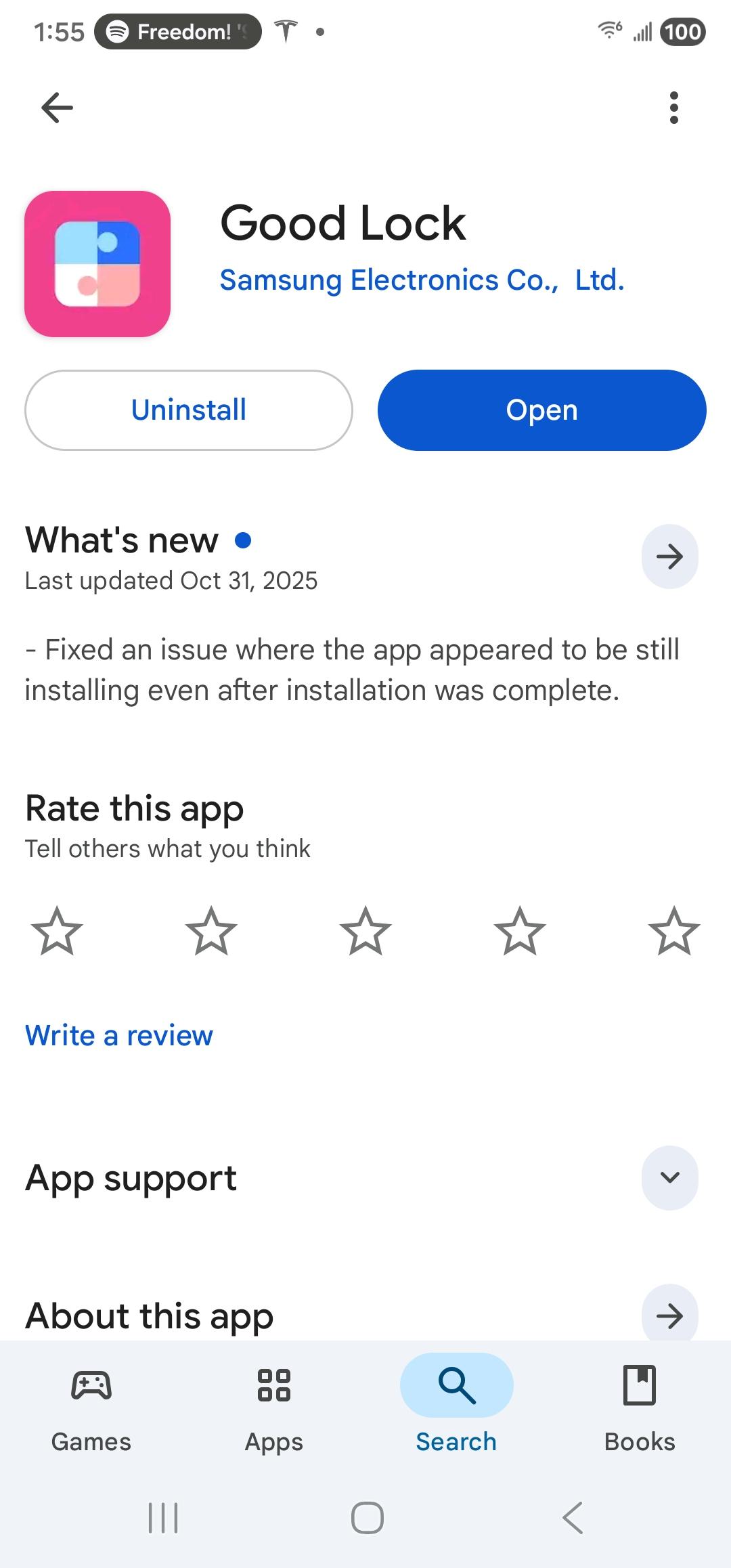
Open Google Play and search for the “Good Lock” app from Samsung.

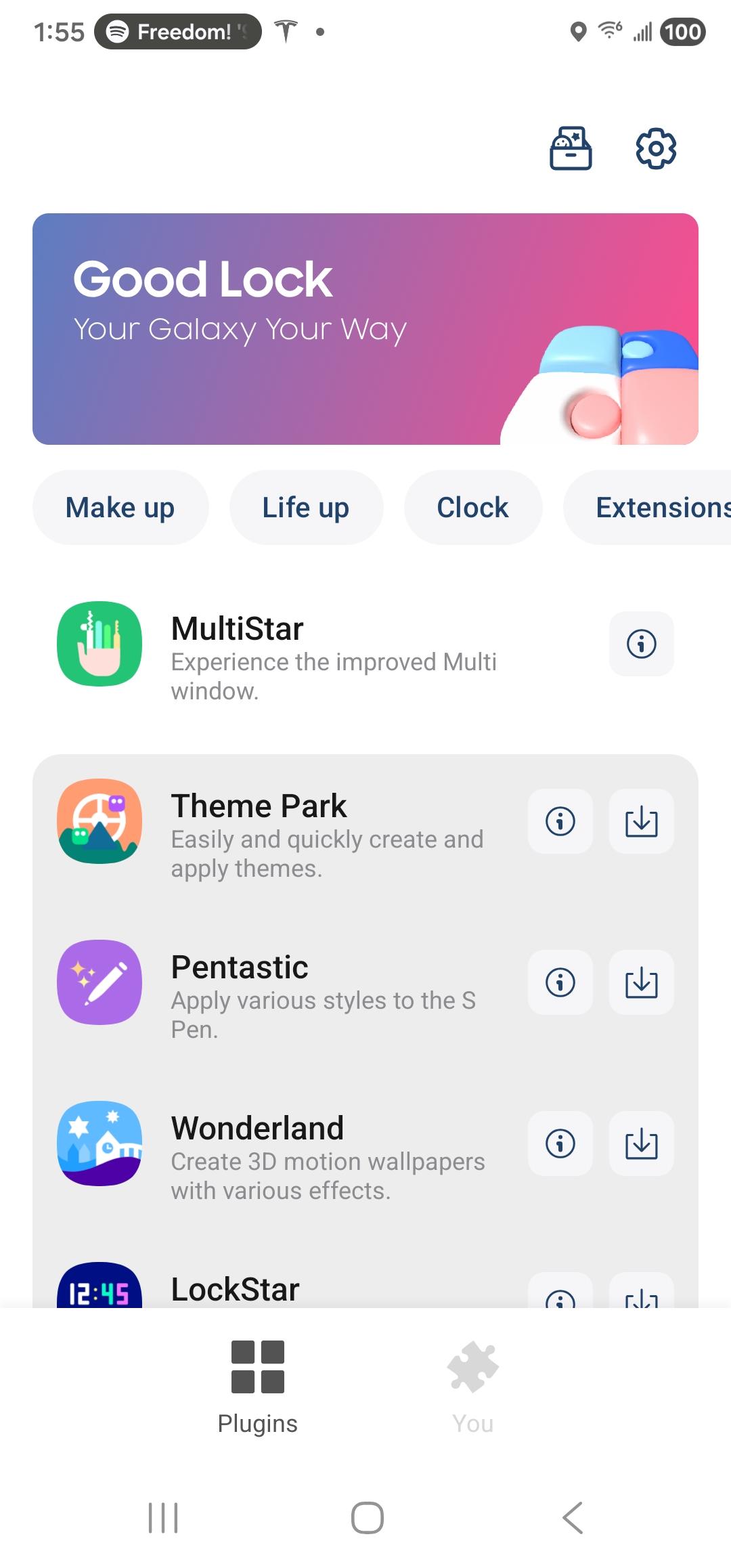
Once the Good Lock app is installed, open the MultiStar module.

In the MultiStar module, enable the option “Higher Resolution for external display.”