
Support
Removing NexDock Case
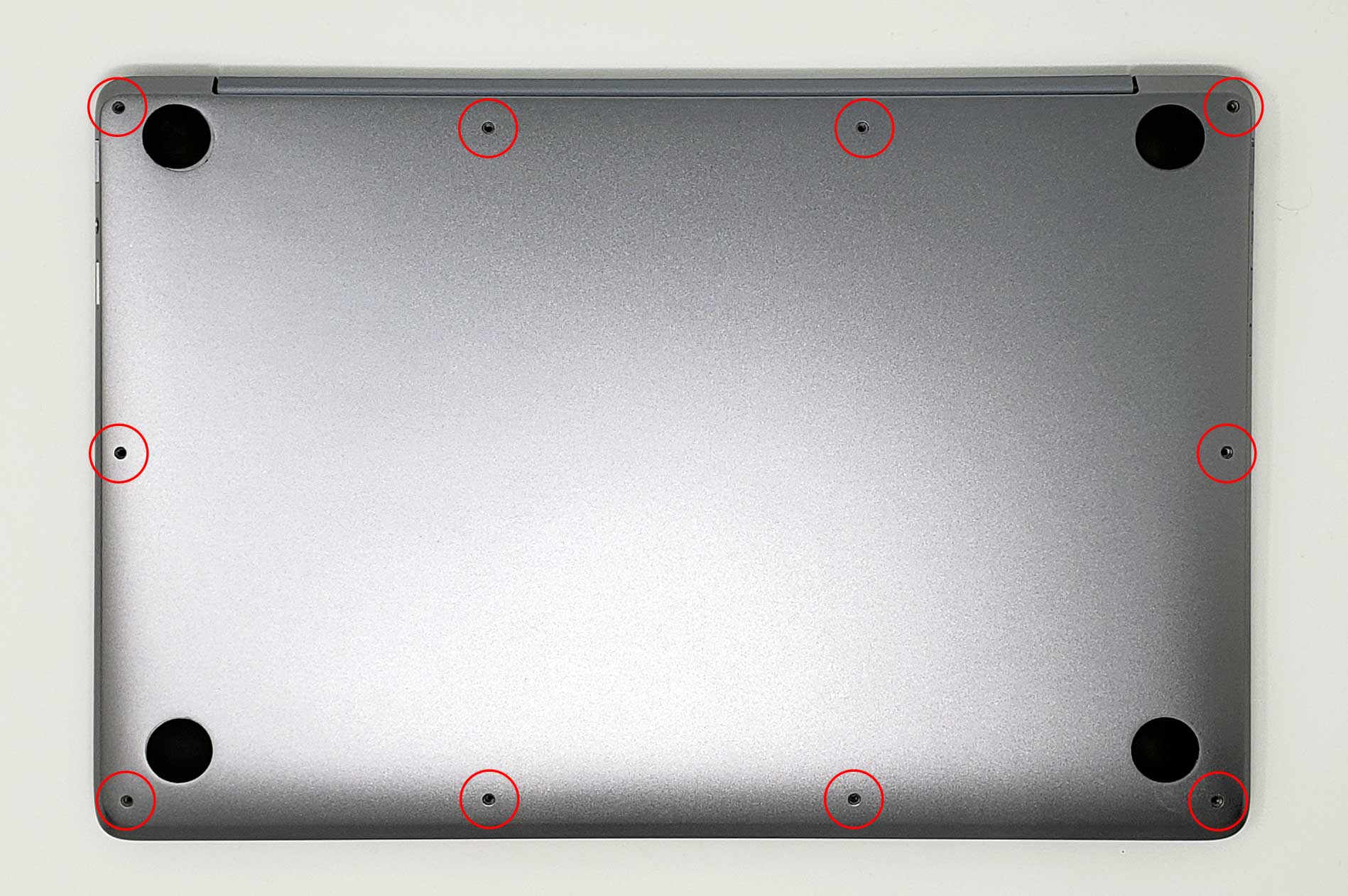
STEP 1
-
Remove the 10 screws securing the lower case to the upper case.
NOTE: Keep track of each screw and make sure it goes back exactly where it came from to avoid damaging your device.
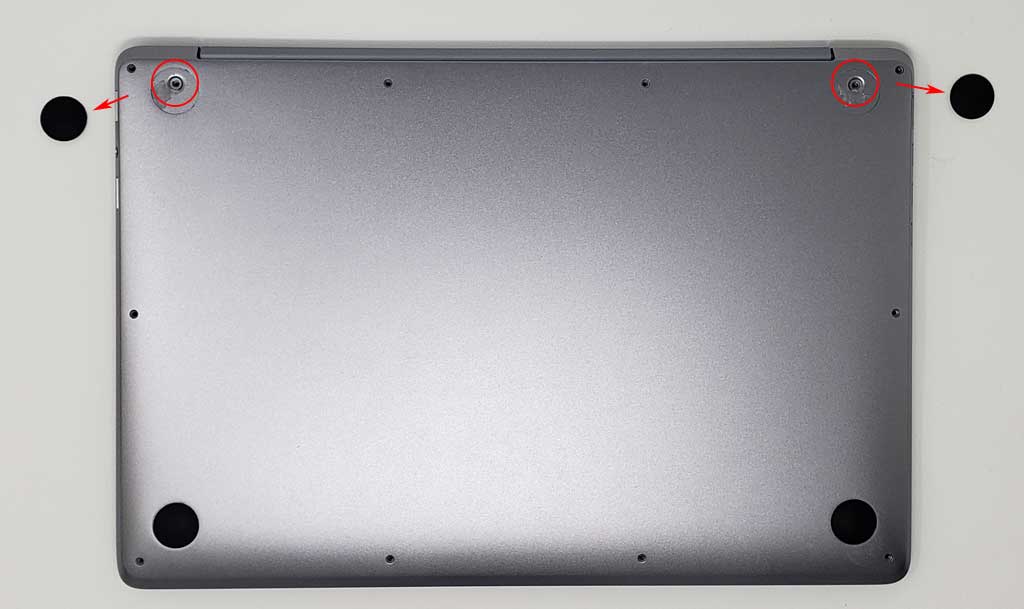
STEP 2
-
Remove 2 hidden screws located underneath the rubber grips at the back (closer to the hinge)
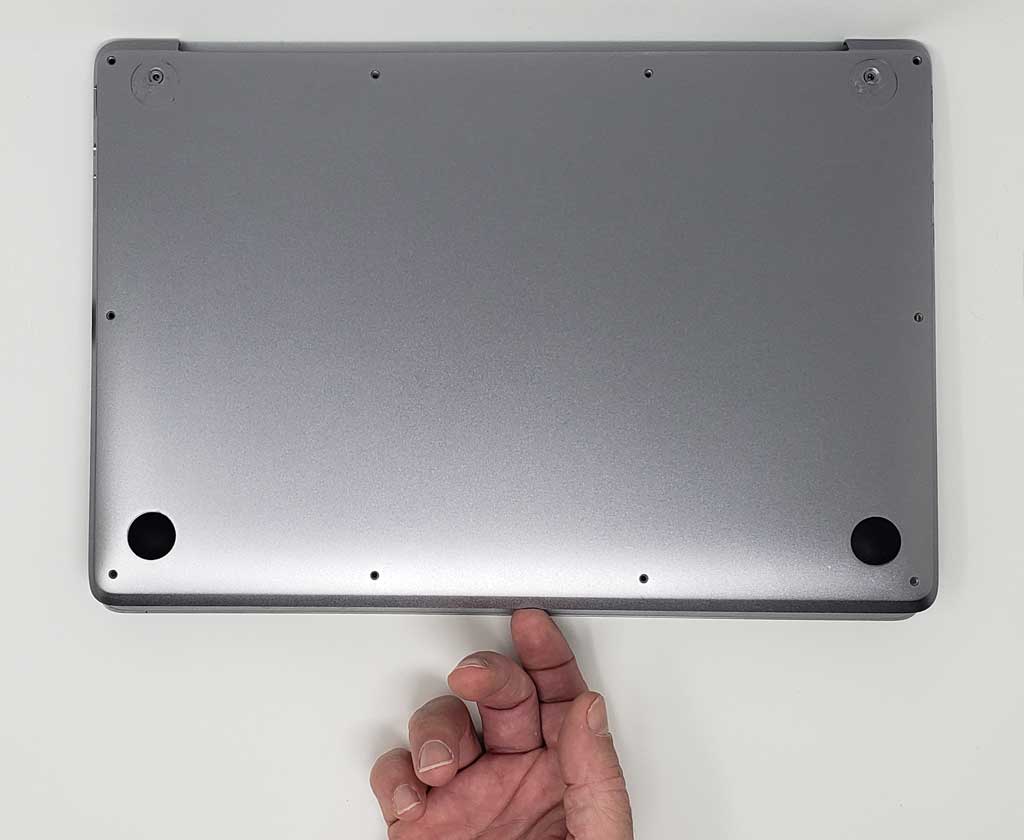
STEP 3
-
Remove the back panel by pulling up gently from the front edge.