
Support
NexDock PCBA Replacement
STEP 1
-
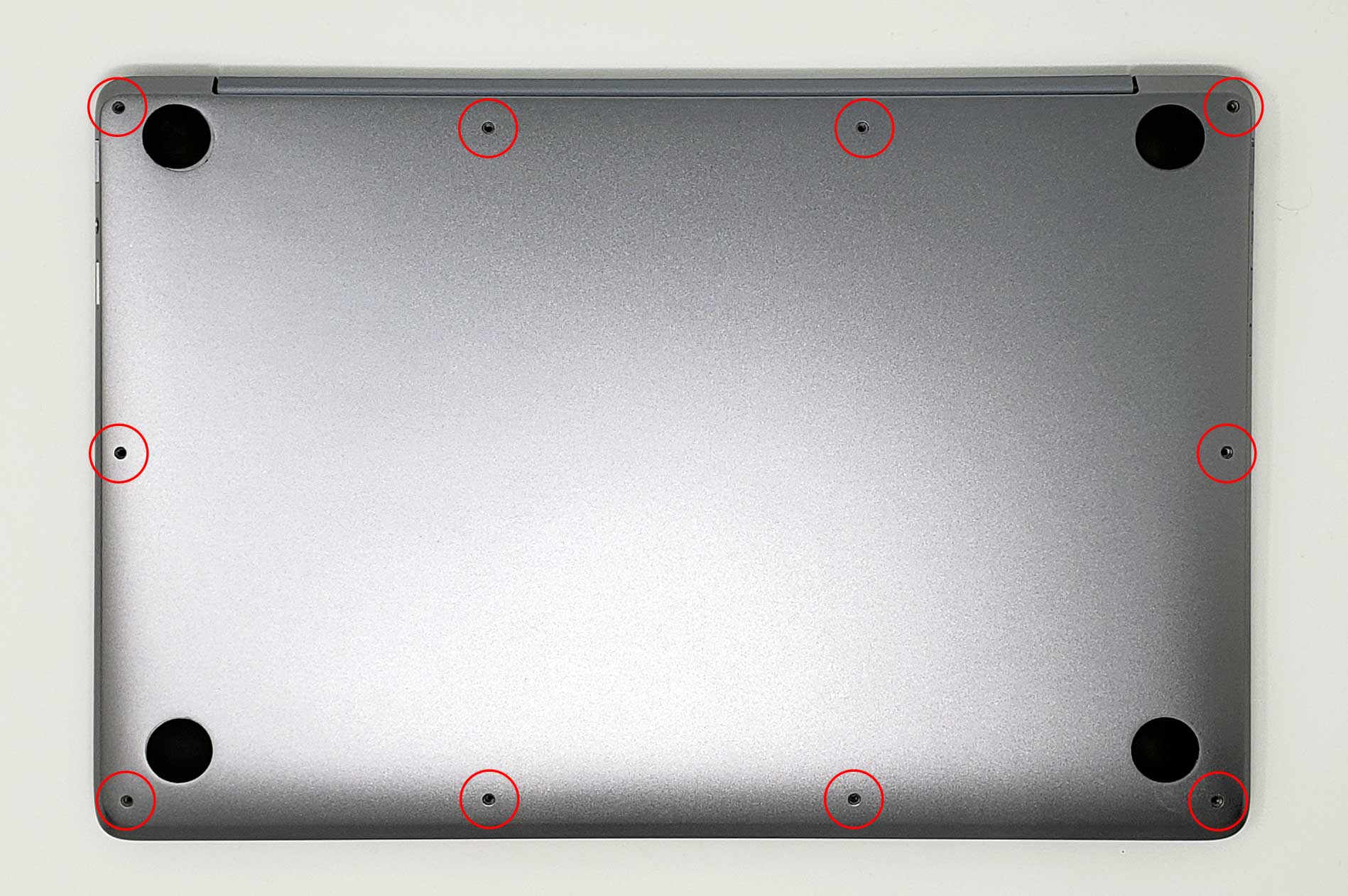
Remove the ten screws securing the lower case to the upper case.
NOTE: Throughout this repair, keep track of each screw and make sure it goes back exactly where it came from to avoid damaging your device.
STEP 2
-
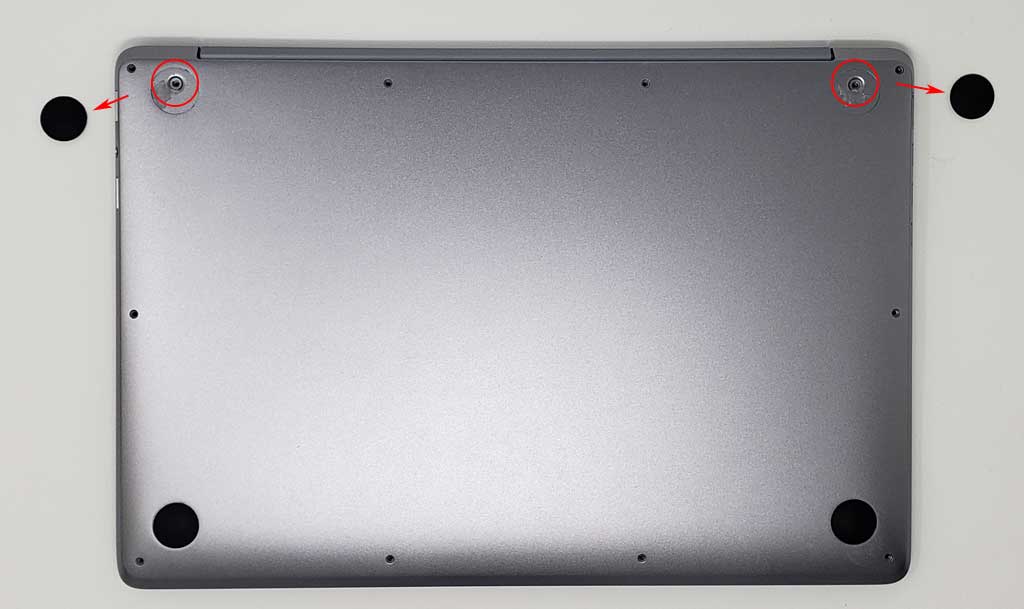
Remove 2 hidden screws located underneath the rubber grips at the back (closer to the hinge)
STEP 3
-
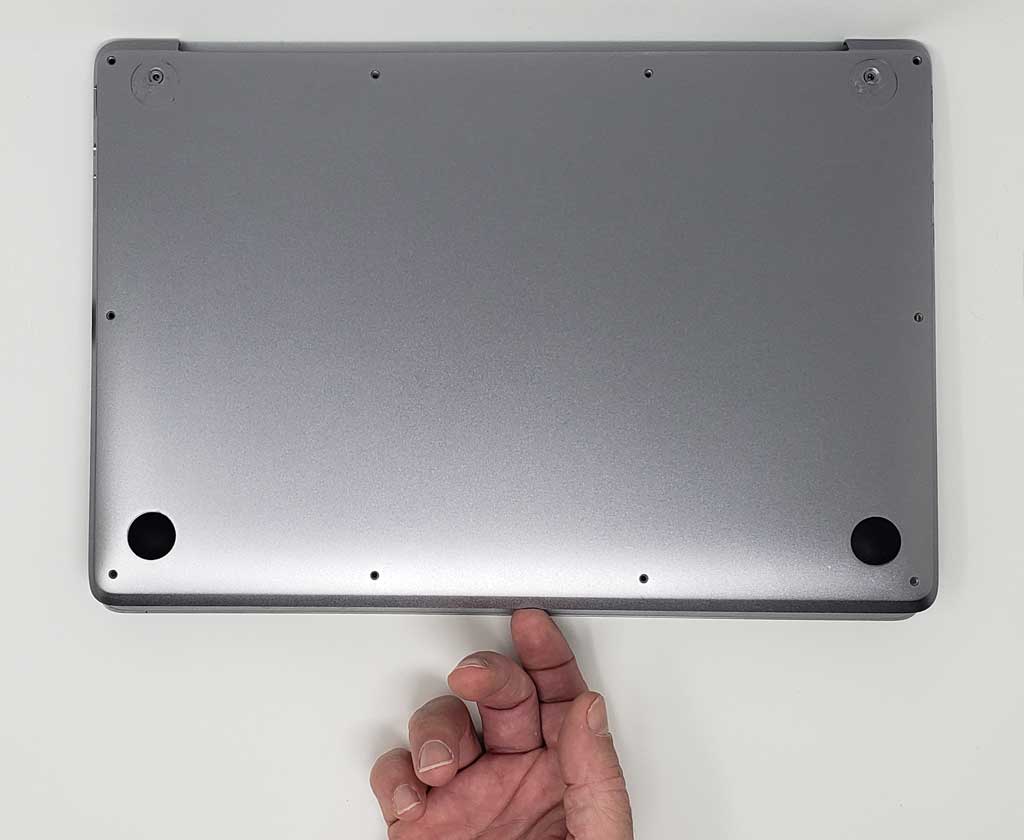
Remove the back panel by pulling up gently from the front edge.
STEP 4
-
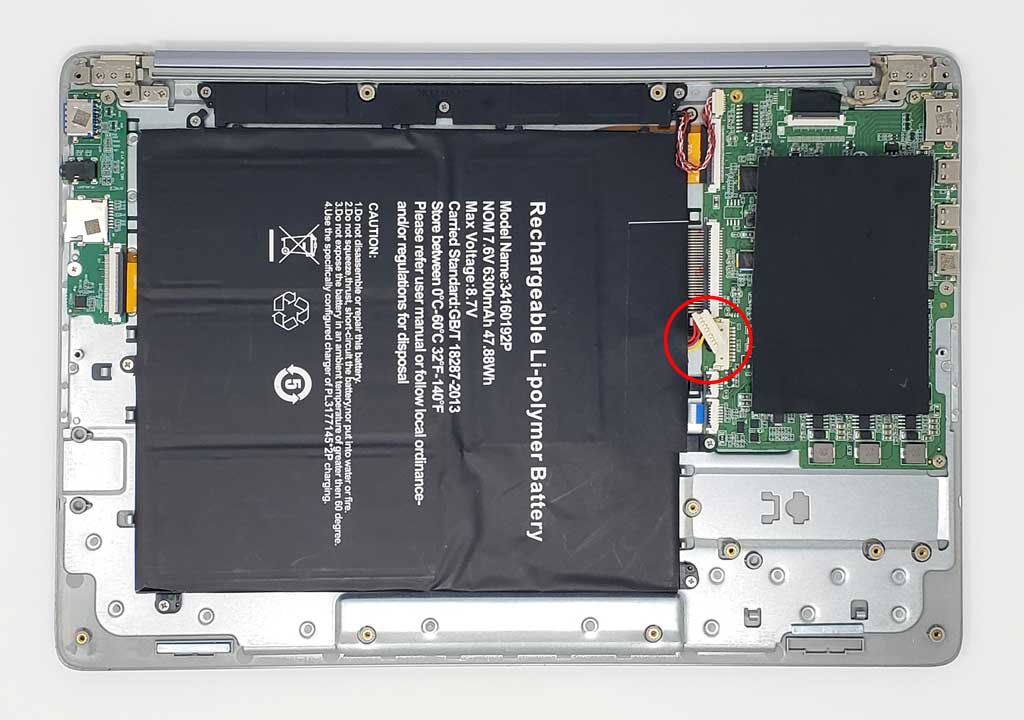
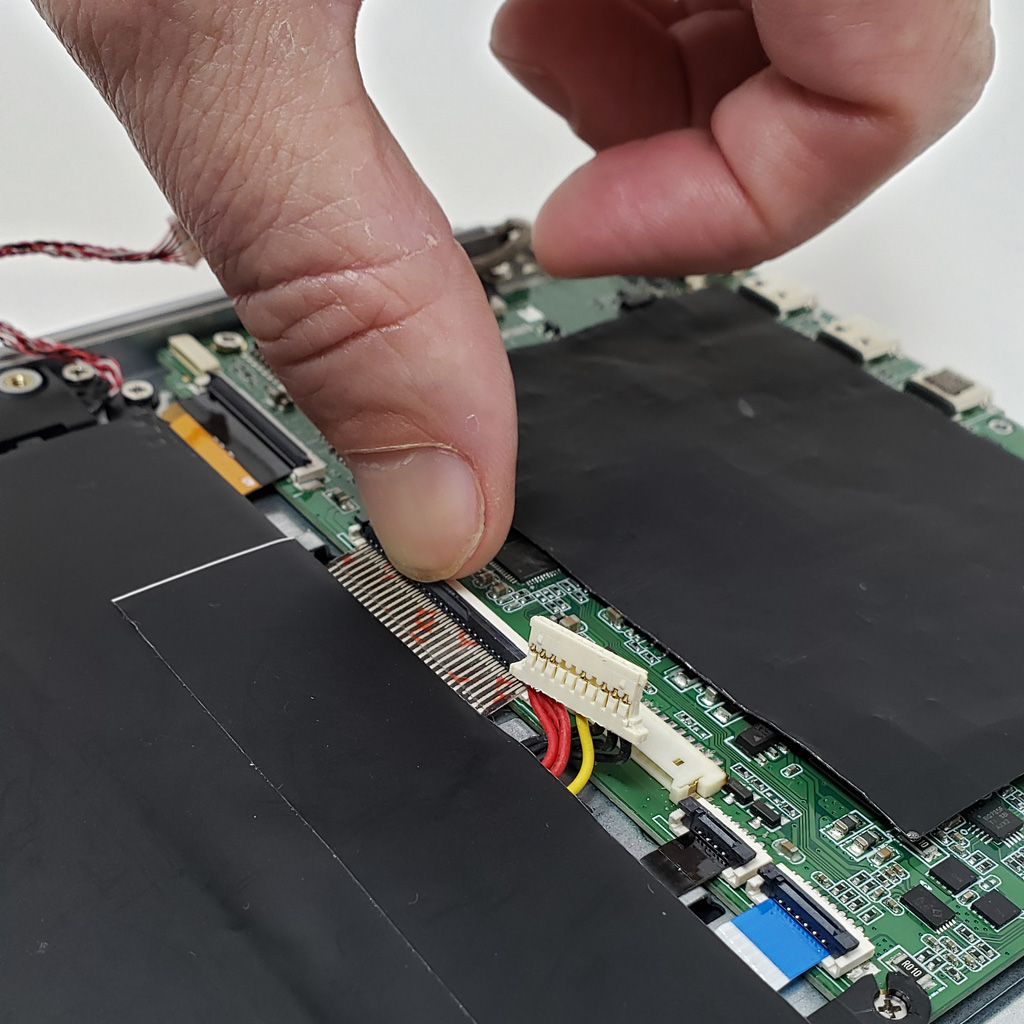
Locate the cable attaching the battery to the motherboard and gently unplug it.
NOTE: Carefully disconnect the cable parallel to the board, not at an angle. Otherwise, you could damage the port.
STEP 5
-
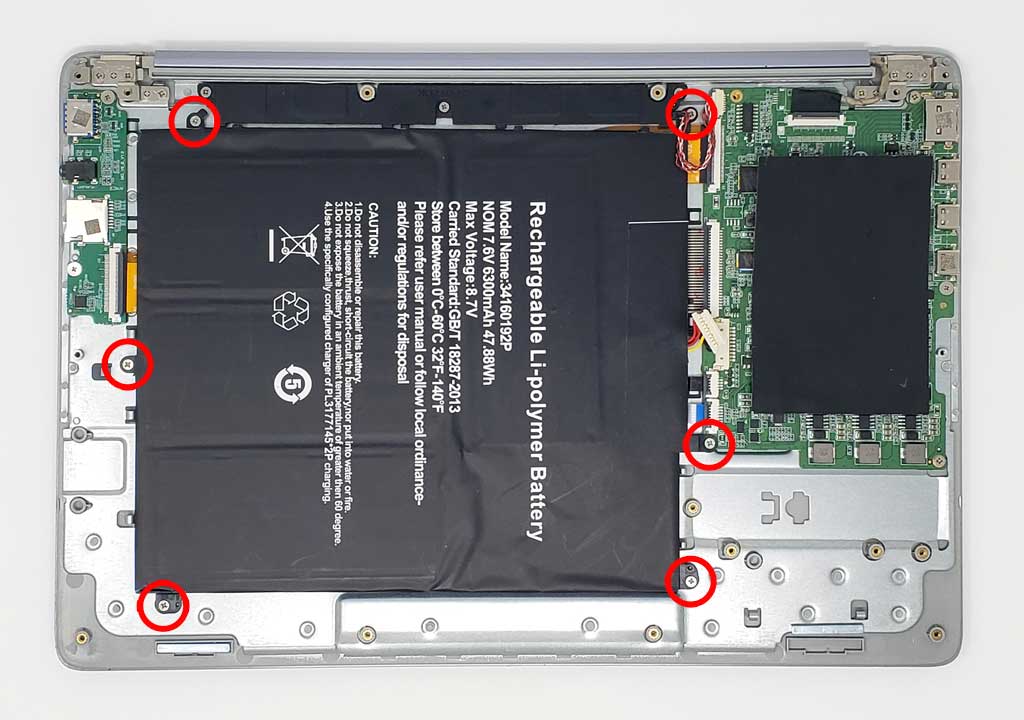
Remove the 6 screws securing the battery to the upper case
-
Lift the battery from its edges and remove it from the upper case.
STEP 6
-
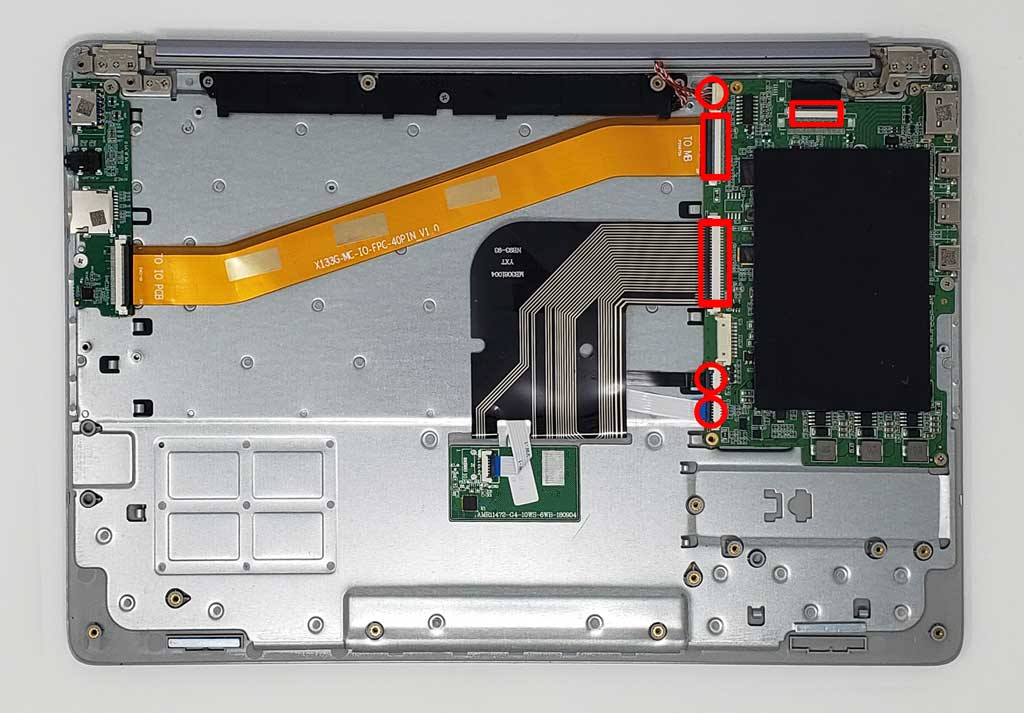
Unlock the latches on the ribbon cables, by sliding the hooks forward.
-
Once latches are unlocked, pull the ribbon cables out to detach them from the motherboard.
STEP 7
-
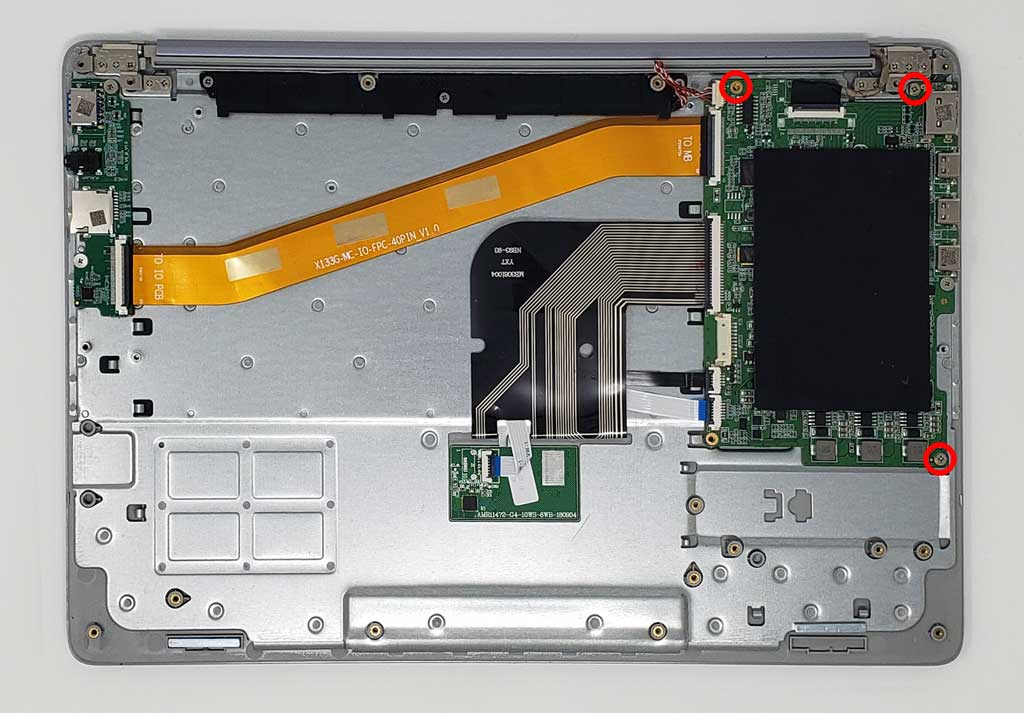
Remove the remaining 3 screws securing the PCBA to the upper case
-
Lift the PCBA from its edges and remove it from the upper case.